

Minutes, not half an hour
siliXon finished each board in 4 to 6 minutes. Claude took 35 to 37 minutes for two of three ideas and needed requests to continue.
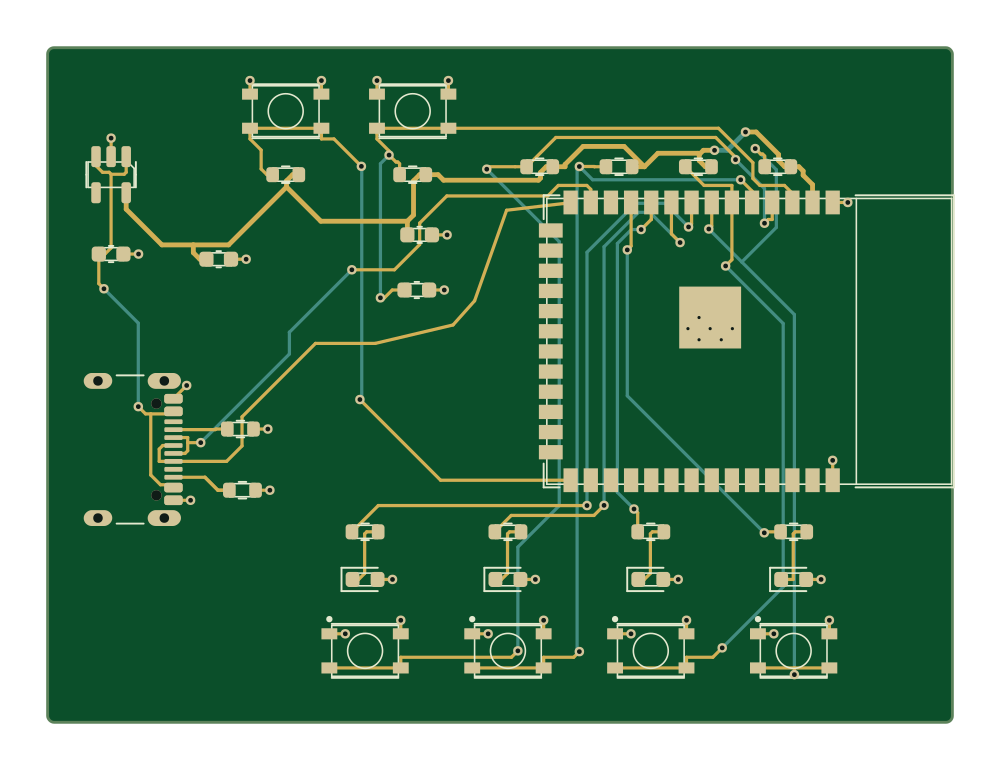
Claude is a capable assistant. Ask it for a PCB and it will write scripts, drive KiCad and an autorouter and, with time and a few requests to continue, hand you a real board. In our test that took 35 to 37 minutes for two of three ideas, and the third had no files after 45 minutes. siliXon builds the board in minutes: describe it in plain English and get a routed, checked design with a schematic, Gerbers, drill files, a priced BOM and pick-and-place data.
Free plan. Runs in your browser.
Who leads on what matters when you want a board.


siliXon: A plain-English description
Claude: A chat prompt
Even.siliXon: None
Claude: Enough to check its files before ordering
siliXon leads.siliXon: siliXon; you steer and edit
Claude: Claude runs scripts; you ask it to continue
siliXon leads.siliXon: An editable PCB and fab files
Claude: Fab files and KiCad source, no schematic
siliXon leads.siliXon: Minutes
Claude: 35 to 37 minutes in our test
siliXon leads.siliXon: Up to 4 layers
Claude: Two-layer boards in our test
Even.siliXon: None
Claude: None; its scripts place and route
Even.Verdict
Choose siliXon to get a checked board with a schematic, in minutes.
Choose Claude to write firmware for your board, or to script a design you will check yourself.
siliXon todaysiliXon is in early beta and builds two- and four-layer, mostly digital boards. Review every design before fabrication.
Where Claude is strongerIt writes and runs real code in its chat, picks parts with JLCPCB part numbers, and can produce a full fab package when given time.
Time to a prototype
From an idea to a board you can send to a fab, on one scale from zero. Measured in our test.
siliXon finished each board in 4 to 6 minutes. Claude took 35 to 37 minutes for two of three ideas and needed requests to continue.
siliXon draws the schematic. Claude built its boards from netlist scripts and gave a table instead.
Five automatic checks run on every siliXon board, including a review against each part's datasheet. Claude reported its own design-rule check.
| Feature | |  |
|---|---|---|
| Starting point | A plain-English description | A chat prompt |
| AI generation | Generates the whole board | Writes scripts that build the board |
| PCB layout | Editable in 2D and 3D | Built by its scripts; edit in KiCad |
| Copper layers | Up to 4 | Two in our test |
| Part selection | Real, available parts picked for you | Real parts with LCSC numbers |
| Design checks | Connectivity and manufacturing checks | Its own design-rule check |
| Fab outputs | Gerbers, drill, BOM and pick-and-place | Gerbers, drill, BOM and pick-and-place, when it finishes |
| Firmware | Programmable over USB, with flashing steps | Writes firmware you compile and flash |
| Layout prep | None; answer a few questions | None; its scripts place and route |
| Runs in | Browser | Browser and apps |
siliXon is in early beta and builds two- and four-layer, mostly digital boards. Review every design before fabrication.
So far creating my first project for 10 min - onboarding seems quite smooth
I like the self validation and how it explains everything too, makes it easier for me to quickly cross reference and learn on the go
Response is very meaningful, I like how it asks you questions to verify and gives you the options to choose the answers with the recommended on the one it thinks is a better option
Good so far. It is helpful and gives me advice
I have to say I love the UI and UX, the front end is really fun to interact with, with the little dynamic touches etc
Super helpful and easy to use
Really good actually better than Flux ai
 siliXon vs KiCadFree, open-source desktop EDA for schematics and PCB layout
 siliXon vs Altium DesignerProfessional EDA for complex, multi-layer production boards
 siliXon vs SchematikAI that turns a prompt into Arduino, ESP32 and Pico projects
 siliXon vs Blueprint.ioAI build plans with parts, wiring and assembly steps
 siliXon vs Flux.aiBrowser ECAD with an AI agent that designs alongside you
 siliXon vs DiodeAI-assisted board design service, from spec to production
 siliXon vs QuilterAI placement and routing from your finished schematic
 siliXon vs SnapMagicAI copilot for Altium, built on the SnapEDA parts library
 siliXon vs CELUSAI that turns requirements into schematics and a BOM
 siliXon vs atopileCode-native electronics design, with an agent in the browser
 siliXon vs tscircuitOpen-source framework for designing PCBs in TypeScript
 siliXon vs ChatGPTOpenAI's general AI chat assistant
Yes, with patience. In our test on 30 October 2026, Claude's chat produced full fab packages for two of three ideas in 35 to 37 minutes, after one or two requests to continue. The third had no files after 45 minutes.
siliXon, ChatGPT and Claude got the same three ideas: a temperature logger with an SD card, a garden sensor that texts you, and a bike light that gets brighter as you brake. Each prompt ended: “Design the PCB and give me the files to order it from JLCPCB: Gerbers, drill file, BOM and pick-and-place.” ChatGPT ran in a normal chat at its default Instant setting, and Claude ran Opus 5.5 at the Extra effort its app showed. Each tool got one reply asking it to pick sensible defaults, up to three requests to continue and 45 minutes. We downloaded and checked every file.
Speed, a schematic and checks. siliXon finished each board in 4 to 6 minutes, draws the schematic, and runs five automatic checks before you download.
AI assistants change often. This page reflects Claude's chat app on 30 October 2026. We rerun the test before updating the page.
What this page says about Claude comes from our own test of Claude's chat app, run on 30 October 2026, with every file downloaded and checked.
Claude is a trademark of its owner. siliXon is not affiliated with or endorsed by Claude.